
Samsung S9 - Michanger ROM (Android OS 10)
Important Note
Please turn off MiChangerPlus tool before installation. Old Plus versions will be upgraded via New Michanger Pro v3: https://www.michanger.pro/
You must reinstall the stock ROM before installing any other ROMs
I.Download Tools & ROM
Samsung USB Driver
Automatic ROM installation tool. Contact FB Support for help!
Setup ROM S9 MiChanger
ROM installation tool. Contact FB Support for help!
Michanger Plus
Michanger Tool. Zip password: 123
II.Installation Guide
IMPORTANT NOTE
For customers currently on ANDROID 12, ANDROID 13 ROM who want to downgrade to ANDROID 10 ROM need to reinstall the original ROM first (If not installed, it will hang on LOGO)
1Step 1: Preparation
- Power off the phone completely.
- Connect the phone to the computer via USB cable.
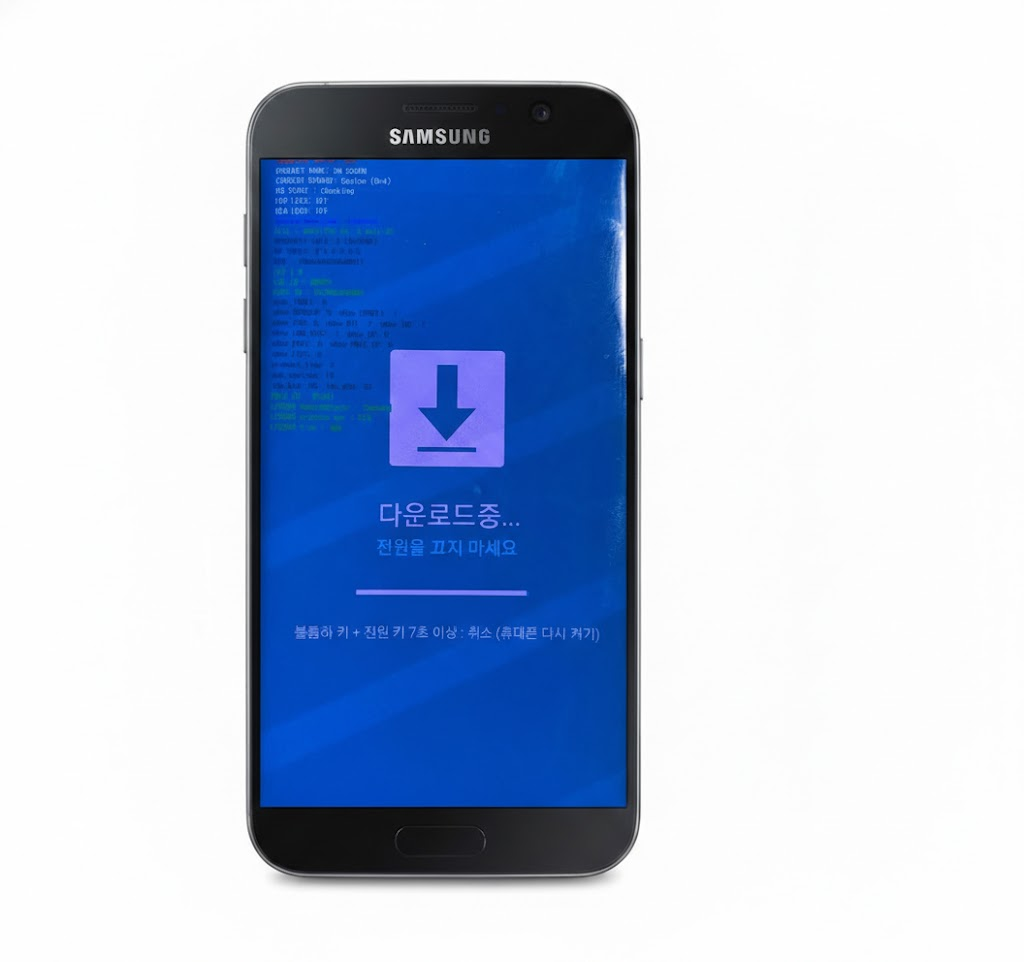
2Step 2: Enter Download Mode
- Hold 3 buttons simultaneously: Bixby + Power + Volume Down (Vol -).
- When the blue screen appears, press Volume Up (Vol +) to confirm entering Download Mode.
3Step 3: Install TWRP via Odin
- Open Odin3 (in the downloaded tool folder).
- At the Options tab, UNCHECK the Auto Reboot box.
- At the AP section, select file
twrp-3.4.0-0-starlte.img.tar. - Click Start. Wait for the green PASS report and on the device as shown below!
Odin3
0:[COM34]
ID:COM
Log
Options
Pit
Tips - How to download HOME binary
OLD model : Download one binary ...
NEW model : Download BL + AP + CP + HOME_CSC
OLD model : Download one binary ...
NEW model : Download BL + AP + CP + HOME_CSC
BL
AP
CP
CSC
USERDATA
PASS!
Odin3_v3.14.1
−
×
FileHomeShareView
This PC > Downloads > Odin3_v3.14.1
twrp-3.4.0-0-starlte.img.tar10MB
4 items
4Step 4: Setup TWRP and Format Data
- Hold Bixby + Power + Volume Down to turn off the device.
- As soon as the device turns off, quickly switch to holding Bixby + Power + Volume Up to enter TWRP.
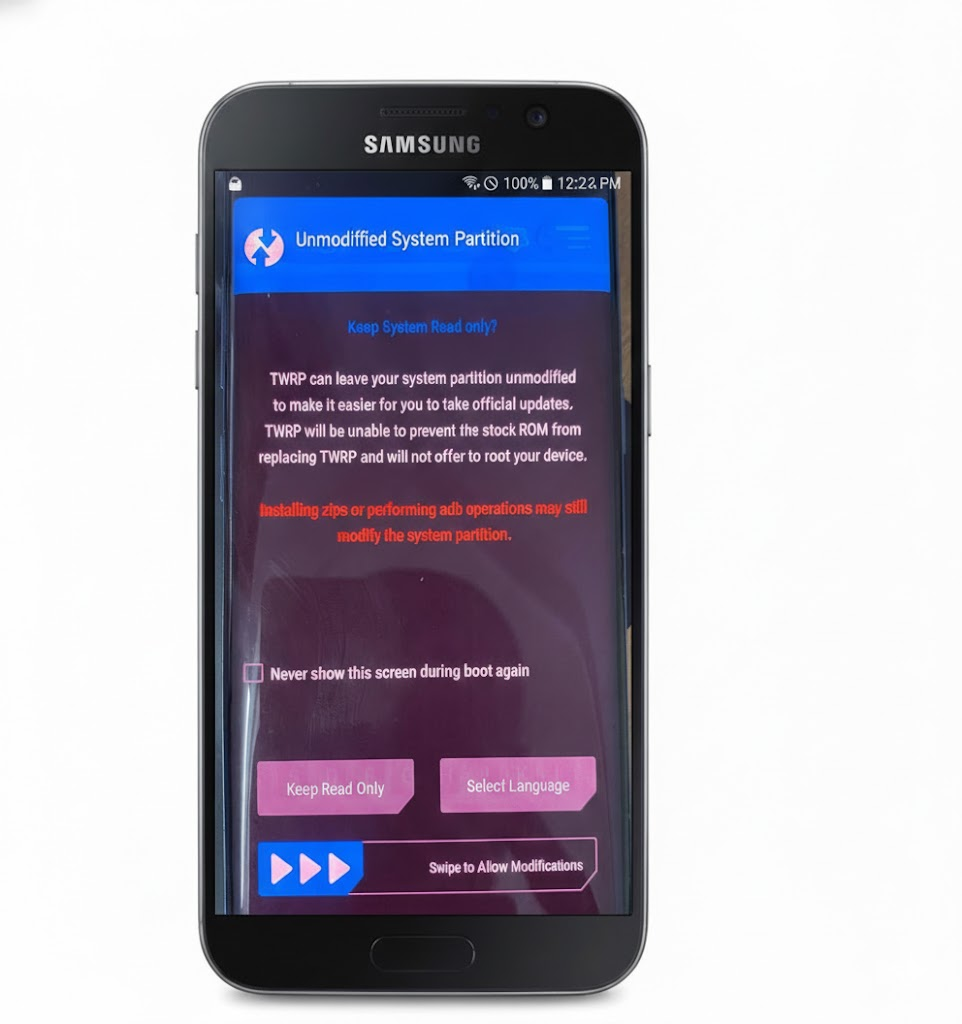
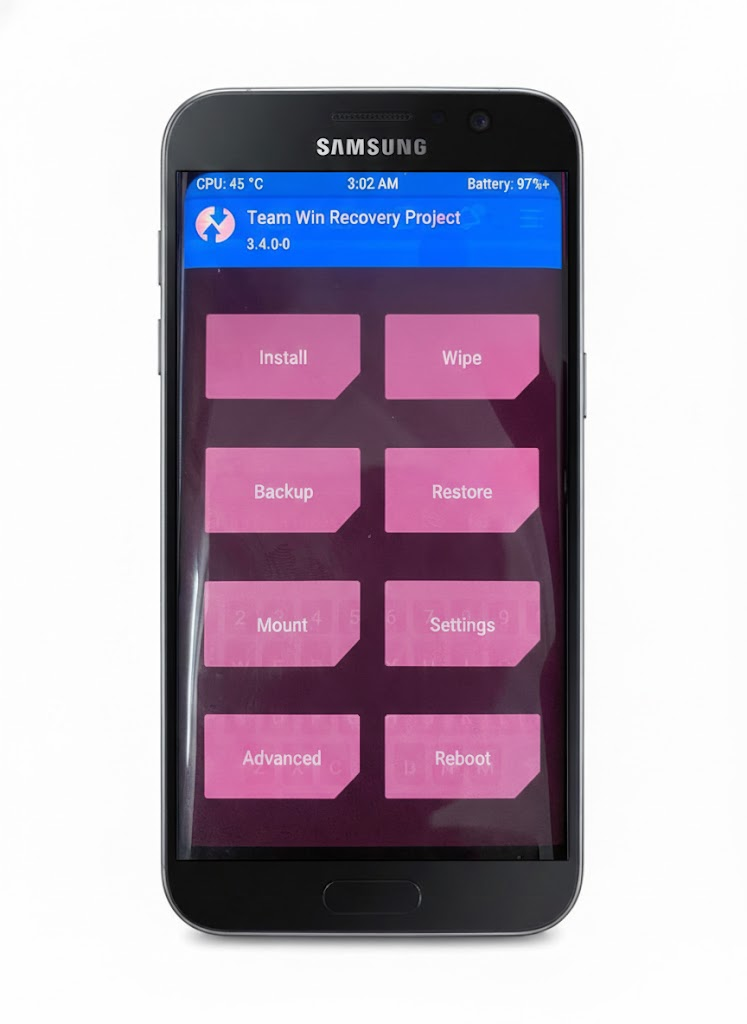
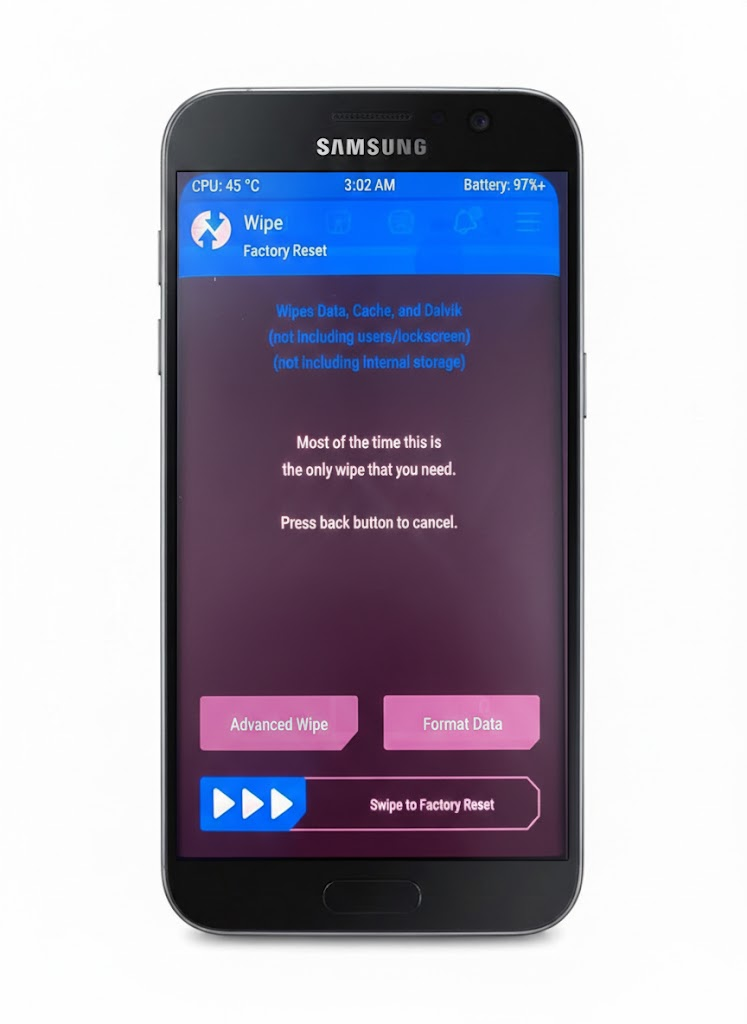
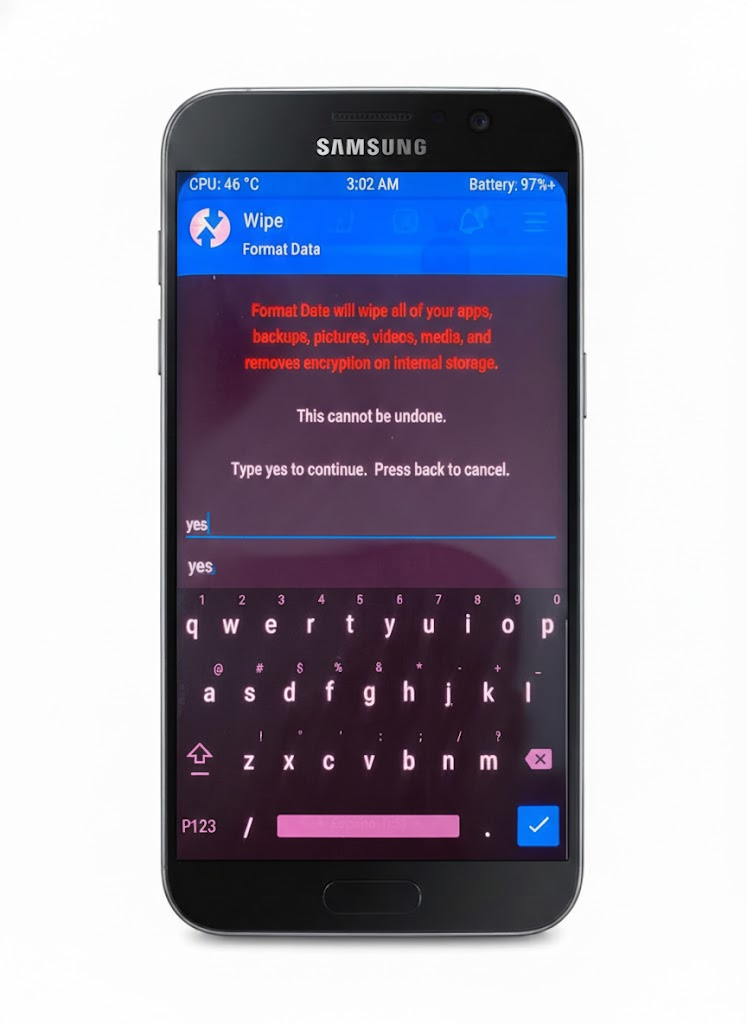
- In TWRP:
- Swipe Swipe to Allow Modifications.
- Select Wipe -> Format Data -> Type
yes-> Click V.
- DO NOT restart the phone (keep the TWRP screen).
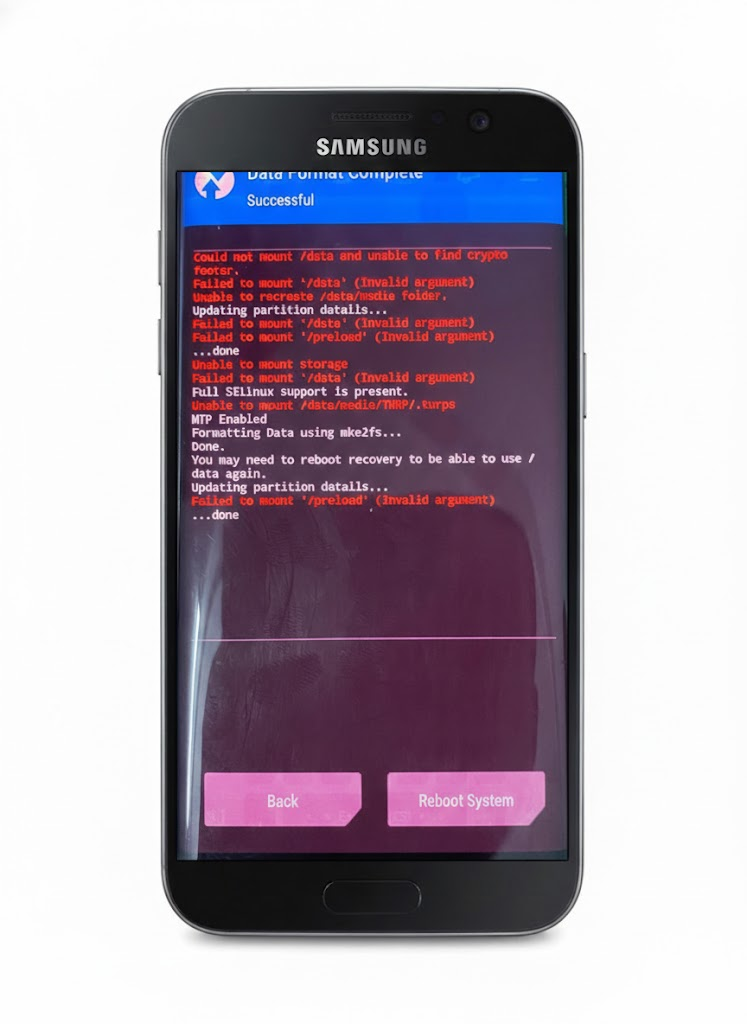
IMPORTANT NOTE:
Proceed to the next step, please do not reboot the phone
5Step 5: Install MiChanger ROM and GApps
- Open tool
Setup_ROM_S9_MICHANGER.exe. - Click LOAD to detect device.
- Click INSTALL MiROM & GApps.
- Wait for the tool to finish running (about 5 minutes) until it reports success.
Install MiChanger S9 | 2021.10.28
Index
Device Id
Progress
Status
1
0091bf750804
Ready!!!
Recovery
IMPORTANT NOTE:
Do not let the phone screen turn off during installation.
Loading Script...