Important Note
Please turn off MiChangerPlus tool before installation. Ensure phone battery is above 30% to avoid risk of sudden power off during Flash ROM process.
I.Download Tools & ROM
Samsung USB Driver
Install if computer does not recognize phone
Samsung S9 Stock ROM (SM-G960N)
Download and extract (SM-G960N_KOO...)
Samsung S9 Stock ROM (SM-G960F) - updating...
Tải về và giải nén (SM-G960F_KOO...)
II.Install Stock ROM
1Step 1: Environment Preparation
Install SAMSUNG USB DRIVER for computers that do not have SAMSUNG USB driver.
2Step 2: Phone Preparation
Power off the phone completely. Then, connect the phone to the computer via a good quality USB Type-C cable (recommended to use original cable).
3Step 3: Enter Download Mode
Perform hardware key combination on the phone:
- Press and hold 3 keys simultaneously: Bixby + Power + Volume Down (Vol -).
- Hold until the blue warning screen appears.
- Press Volume Up (Vol +) to confirm entering DOWNLOAD MODE.
Note: The Bixby key is located below the Volume Down button on the left edge of the phone.
4Step 4: Flash ROM via Odin
Open Odin software (in ROM's folder or downloaded separately). Check if ID:COM port is lit blue (as illustrated).
Select corresponding files from the extracted ROM folder into the sections:
- BL→Chọn file
BL_xxxx.tar.md5 - AP→Chọn file
AP_xxxx.tar.md5 - CP→Chọn file
CP_xxxx.tar.md5 - CSC→Chọn file
CSC_xxxx.tar.md5
After selecting all 4 files, click Start button and wait for the process to complete (reports green PASS). The phone will automatically restart into the new operating system.
OLD model : Download one binary ...
NEW model : Download BL + AP + CP + HOME_CSC
5Step 5: Wipe Data
Wait for installation to finish, phone will appear as Phone Below or auto reboot (if auto reboot then skip to Step 6: Unlock OEM).
Use volume + - to navigate MENU, power button to select.
Information
Use volume + - to navigate MENU, power button to select.
- Use Volume - and Power to select Wipe data/factory Reset.
- Use Volume - and Power to select Wipe cache partition.
- Select Reboot System now to complete setup and restart device.
6Step 6: Unlock OEM
VIDEO SETUP:
-
Connect wifi for phone (mandatory) then follow steps below.
-
Go to Setting -> About Phone
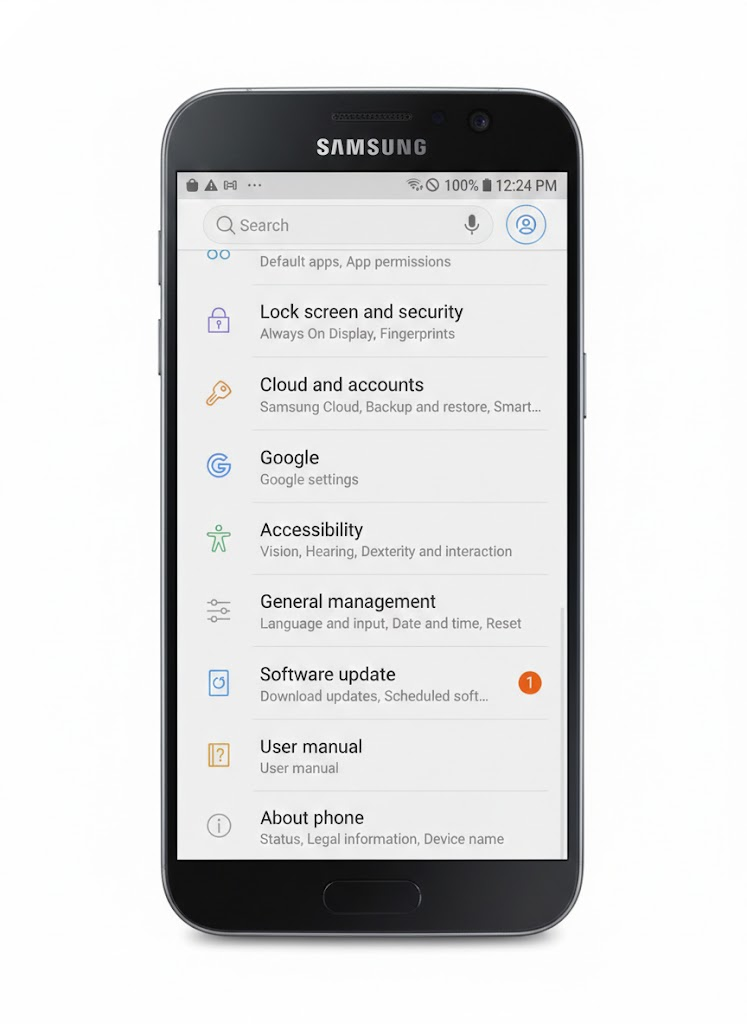
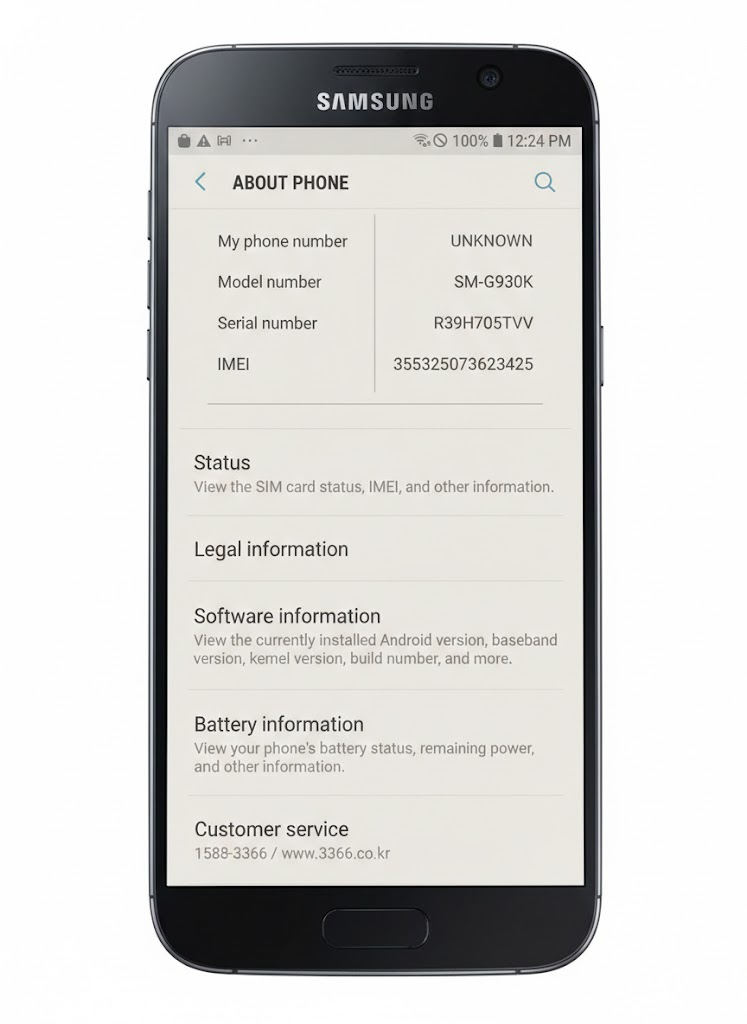
- Go to Software Information
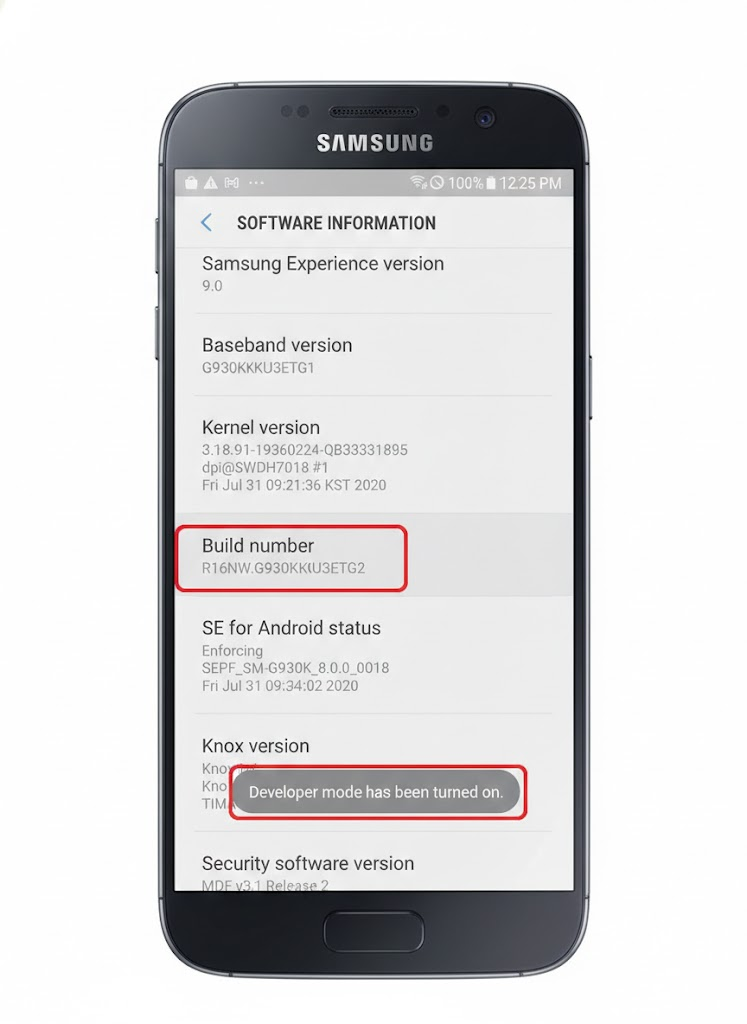
- Click Build Number repeatedly 7 times to enable Developer Option
- Go back to Setting into Developer Option
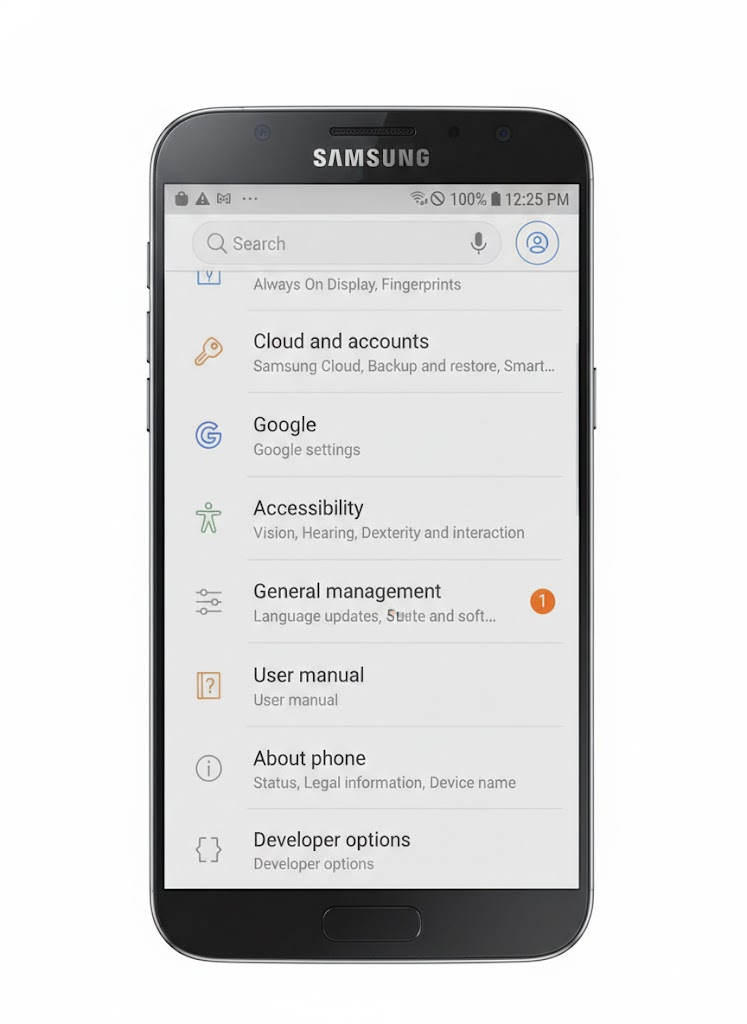
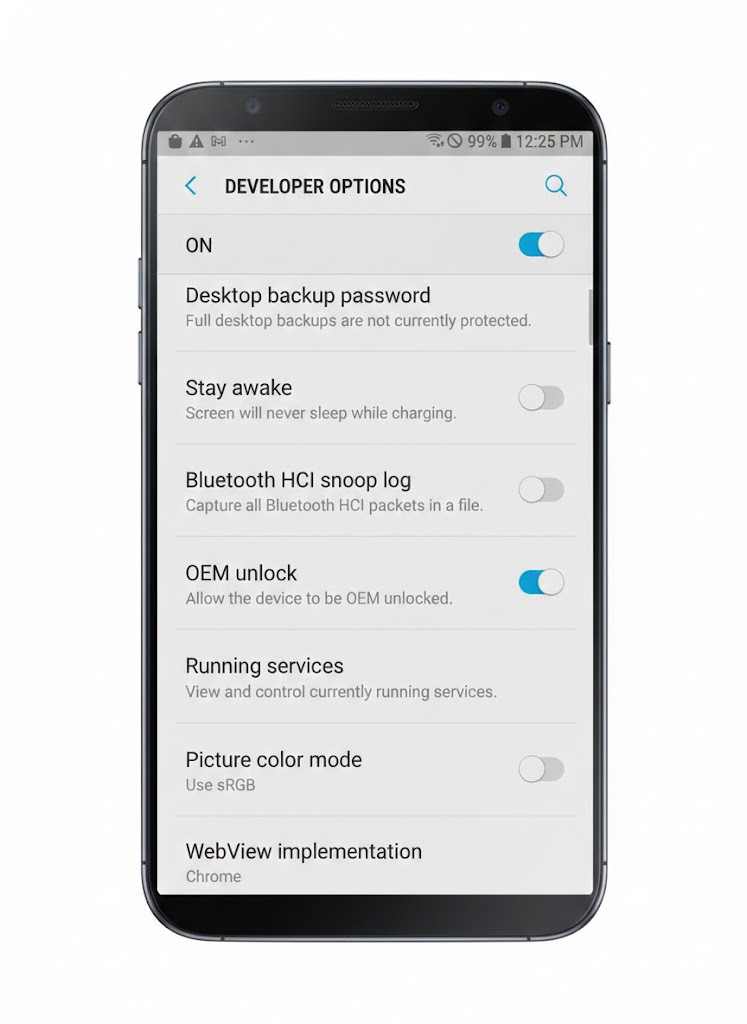
- Enable OEM UNLOCK (if already enabled then skip)