
Xiaomi A1 - Michanger ROM (Android OS 9)
Important Note
Please turn off MiChangerPlus tool before installation.
I.Download Tools & ROM
Stock ROM Xiaomi A1
Stock ROM Xiaomi A1
MICHANGER Xiaomi A1 Android 9
Rom MICHANGER Xiaomi A1 Android 9. Please Inbox FB for support!
Michanger Plus
Michanger Tool. Zip password: 123
Xiaomi Driver
Install Xiaomi Driver (for computers not yet installed)
II.Stock ROM Installation Guide
1Step 1: Install Stock ROM
- Put the device into Fastboot by holding Power + Volume Down (as shown below) and plug the phone into the computer's USB port.

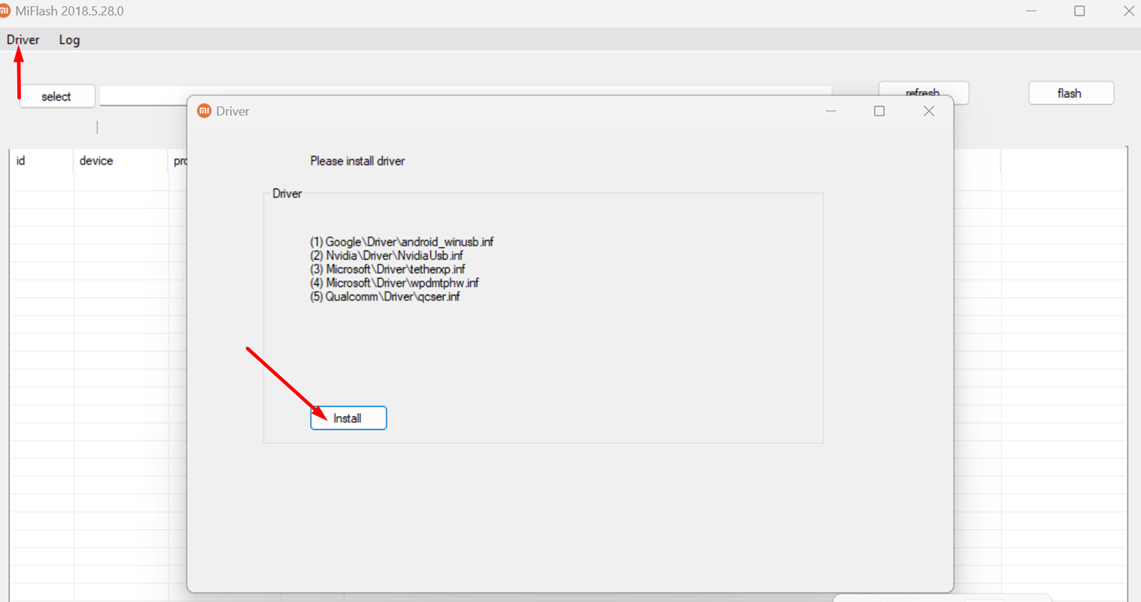
- Open XiaoMiFlash.exe file in ROM_GOC_XIAOMI_A1\MiFlash folder. Click Driver button then Install to install driver.
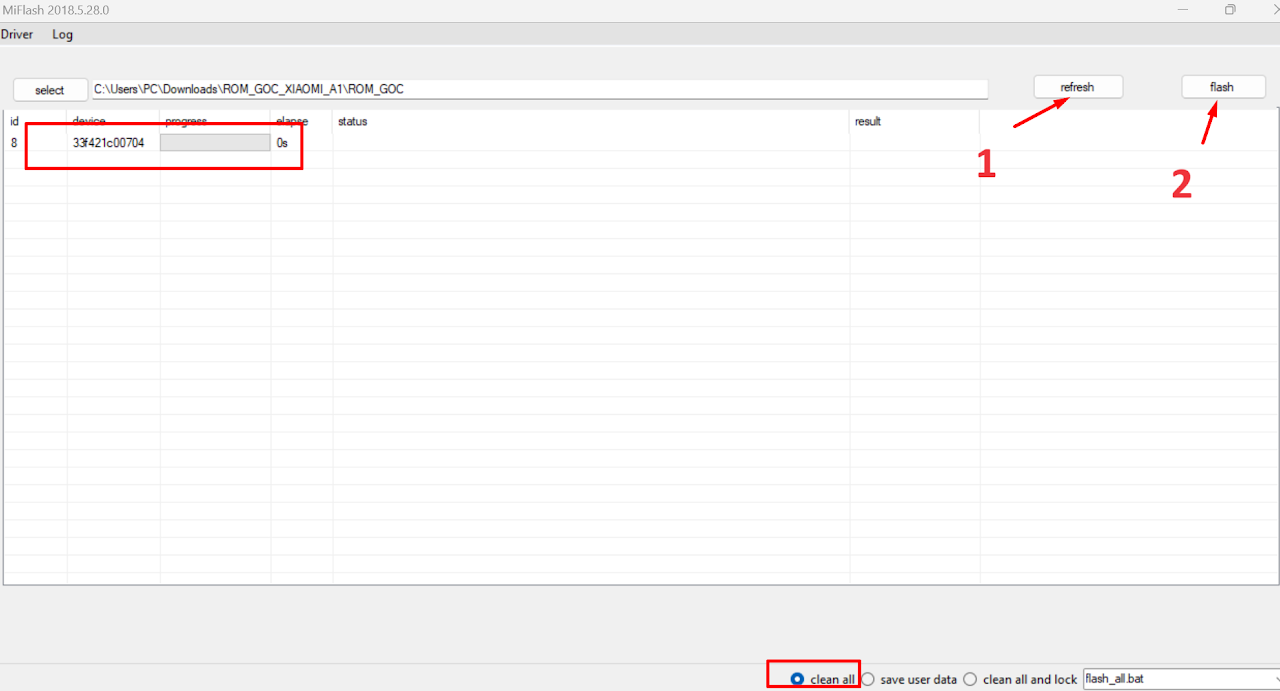
- Click Select button, and point to ROM_GOC_XIAOMI_A1\ROM_GOC folder (Where the downloaded ROM folder is located).
NOTE
ROM installation folder path must not contain spaces, Vietnamese characters with accents, or special characters.
- Click Refresh button to display device.
- In the bottom right corner, select clean all (Please select this to avoid locking bootloader).
- Click Flash button, and wait for the device to reboot automatically.
- Patiently wait for the phone to finish installing, as shown below.

III.MiChanger ROM Installation Guide
1Step 1: Preparation & Enter Fastboot
- Power off the phone.
- Hold Power + Volume Down (Vol -) to enter FASTBOOT mode.
- Connect USB cable to computer.
2Step 2: Install MiChanger ROM
- Put the device back to FASTBOOT mode.
- On tool: Click LOAD -> Install MiChanger ROM.
- Wait for tool to report success (Done/Success).
MiChanger | ROM & GApps - V1.0
Index
Device Id
Progress
Status
1
0090bf750804
Ready!!!
Fastboot