
Xiaomi A1 - Michanger ROM (Android OS 10)
Important Note
Please turn off MiChangerPlus tool before installation.
I.Download Tools & ROM
Stock ROM Xiaomi A1
Stock ROM Xiaomi A1
MICHANGER Xiaomi A1 Android 10
Rom MICHANGER Xiaomi A1 Android 10. Please Inbox FB for support!
Michanger Plus
Michanger Tool. Zip password: 123
Xiaomi Driver
Install Xiaomi Driver (for computers not yet installed)
II.Stock ROM Installation Guide
1Step 1: Install Stock ROM
- Put the device into Fastboot by holding Power + Volume Down (as shown below) and plug the phone into the computer's USB port.

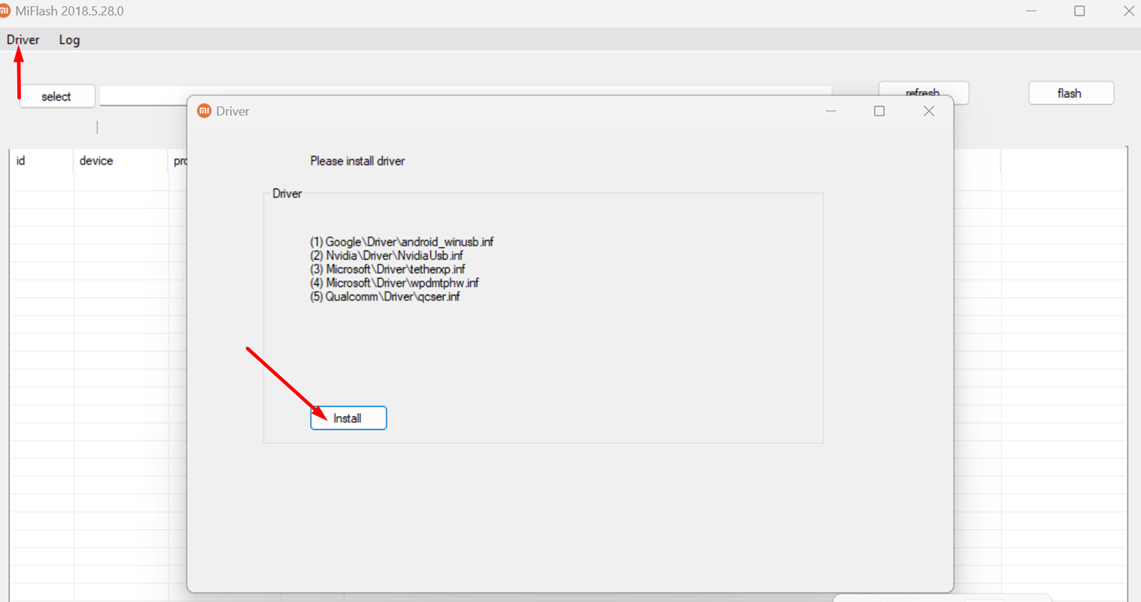
- Open XiaoMiFlash.exe file in ROM_GOC_XIAOMI_A1\MiFlash folder. Click Driver button then Install to install driver.
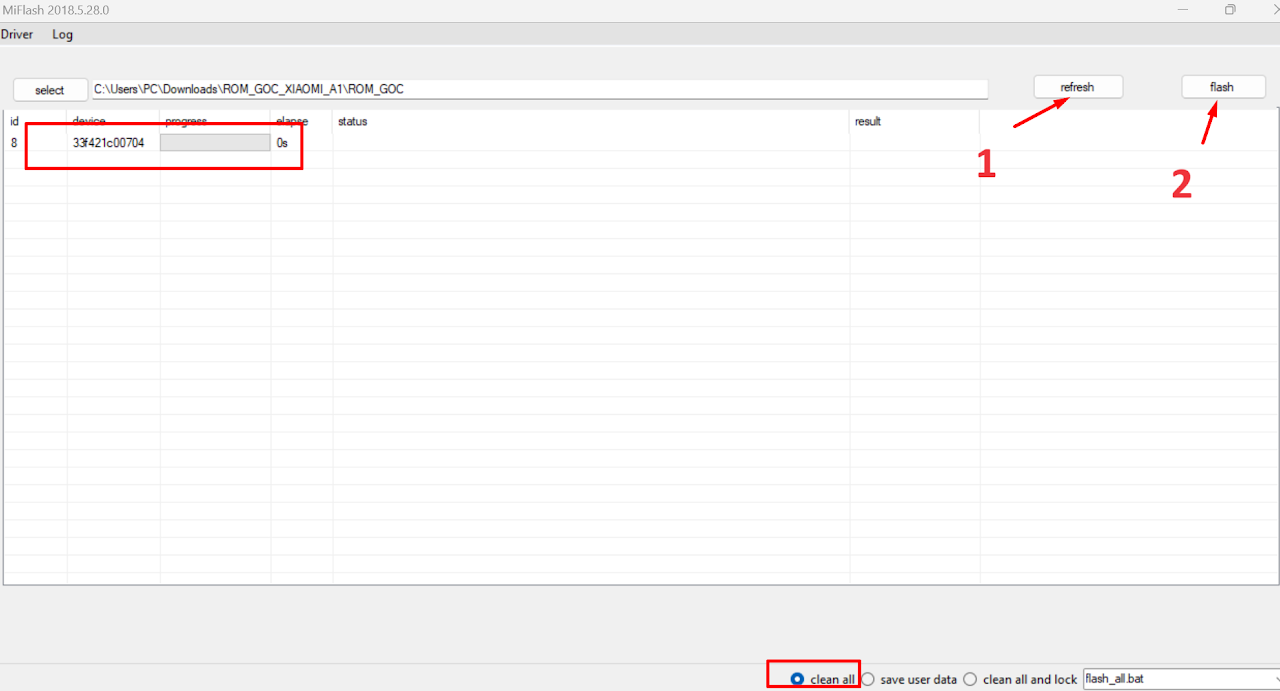
- Click Select button, and point to ROM_GOC_XIAOMI_A1\ROM_GOC folder (Where the downloaded ROM folder is located).
NOTE
ROM installation folder path must not contain spaces, Vietnamese characters with accents, or special characters.
- Click Refresh button to display device.
- In the bottom right corner, select clean all (Please select this to avoid locking bootloader).
- Click Flash button, and wait for the device to reboot automatically.
- Patiently wait for the phone to finish installing, as shown below.

III.MiChanger ROM Installation Guide
1Step 1: Preparation & Enter Fastboot
- Power off the phone.
- Hold Power + Volume Down (Vol -) to enter FASTBOOT mode.
- Connect USB cable to computer.
2Step 2: Install MiChanger ROM
- Put the device back to FASTBOOT mode.
- On tool: Click LOAD -> Install MiChanger ROM.
- Wait for tool to report success (Done/Success).
MiChanger | ROM & GApps - V1.0
Index
Device Id
Progress
Status
1
0090bf750804
Ready!!!
Fastboot