
Installation Guide Michanger Pro - Pixel 3

1.OS ROM Installation
1Step 1: Preparation & Enter Fastboot
- Power off the phone.
- Press and hold Power + Volume Down (Vol -) to enter Fastboot Mode.
- Connect to the computer using a USB cable.
2Step 2: Run Initialization Tool
- Open the downloaded installation tool (Setup Tool Pro V3).
- Click LOAD to connect the device.
- Select Install Michanger Pro ROM.
- Wait for the tool to run automatically (the device will reboot into Fastboot multiple times). DO NOT DISCONNECT THE CABLE.
Setup ROM Pixel 3 | Michanger Pro
Index
Device Id
Progress
Status
1
0091bf750804
fastboot
Fastboot
Note:
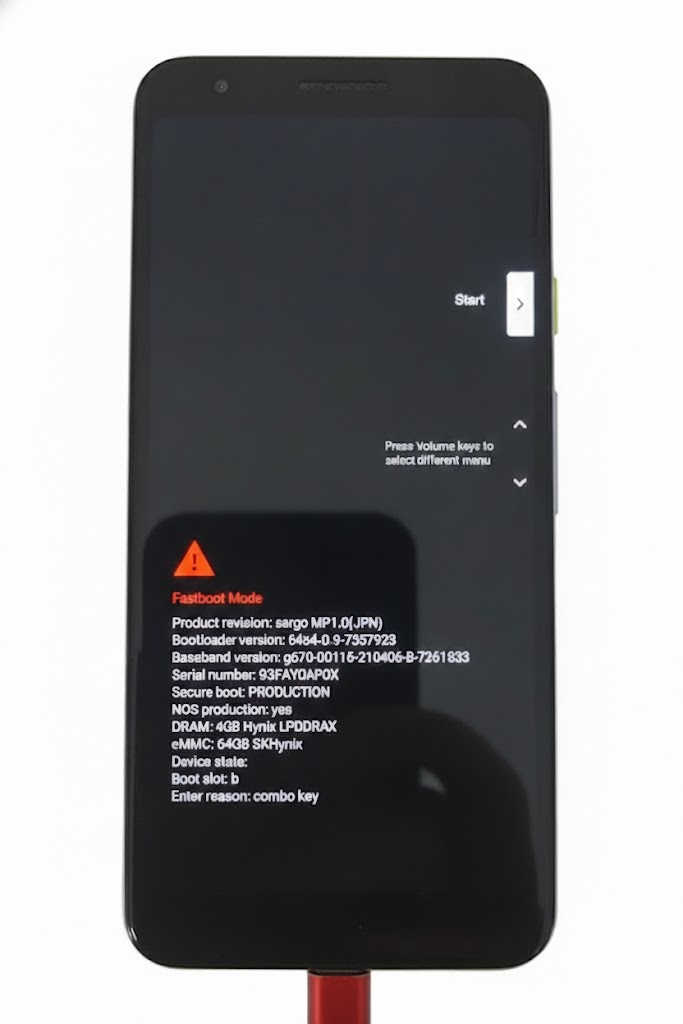
During the ROM installation, the phone screen will look like the image below. Please keep it connected and do not interact with the device while the tool is working.
2.Additional Tools Installation (GApps / TWRP)
3Step 3: Flash TWRP & Google Apps
- Once the ROM installation is finished, enter Fastboot Mode again (Power + Volume Down).
- Reconnect the cable. On the tool, click LOAD again.
- Select the Install TWRP & GApps button.
- Wait for the data upload process to complete.
Setup ROM Pixel 3 | Michanger Pro
Index
Device Id
Progress
Status
1
0091bf750804
fastboot
Fastboot
4Step 4: Enable USB Debugging (Complete)
- After the device reaches the home screen, go to phone settings.
- Enable Developer Options -> Enable USB Debugging.
- Connect to the main Michanger Pro software to start using!